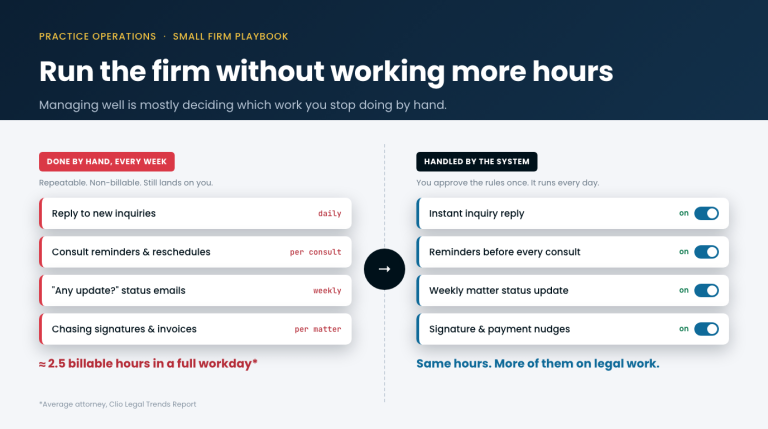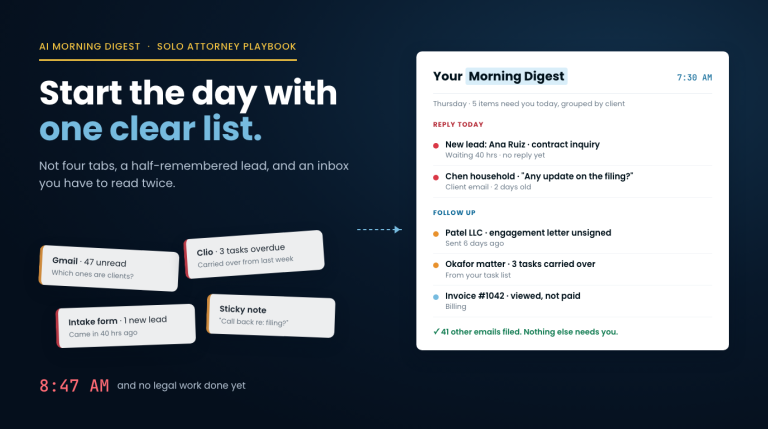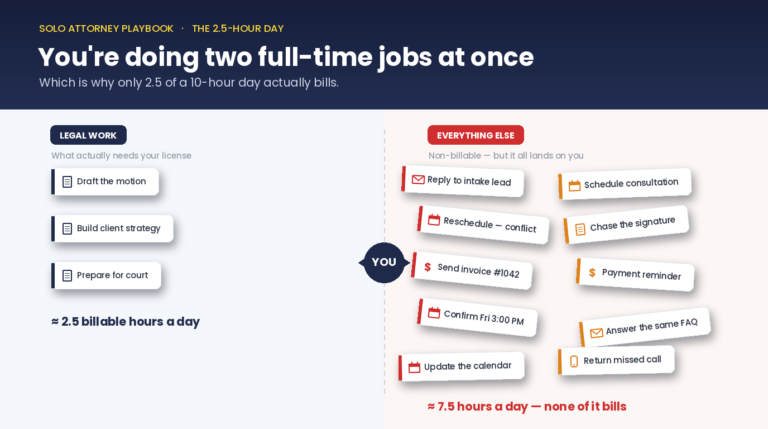
If you’re a solo attorney, intake is probably the single biggest drain on your week. The ABA’s Legal Trends data consistently shows solo and small firms billing only 2.5 hours a day. Most of the rest goes to intake, follow-up, and back-office admin. This piece walks through which intake workflows actually benefit from automation, which ones don’t, and the order to build them.
Tutorial
Intake automation for solo attorneys.
Ten hours a week back. Three workflows worth automating first, and three that aren't.
The easiest way to save a solo attorney fifteen hours a week is to automate intake. The trap is assuming that means “automate the whole call.” It doesn’t. The call is yours. What you automate is the twenty or so minutes of admin that surrounds each call: conflict checks, scheduling, intake form, note typing, follow-up sequence, payment setup.
Done well, that twenty-minute admin shell collapses to ninety seconds. Done poorly, you end up with a system that over-screens, filtering out real clients because the automation didn’t know what counted as a conflict. This guide covers the workflows that work, the ones that don’t, and the order to build them.
How it works
1
Map the workflow
Start with a 30-minute audit of the recurring work in your practice. Timebox each step. Identify which ones are repeatable and which need licensed judgment.
2
Pick the first build
Rank candidates by hours-back per week × compliance risk. Build the top one first. Intake automation is usually the winner.
3
Measure + iterate
Every Build gets an SOW metric. Measure weekly. Iterate based on what the numbers say, not what feels right.
What you get
1️⃣
Intake form + conflict check
Replace the 15-minute phone screening with a web form that fires an automated conflict check and lands a summary in your inbox before the actual call.
2️⃣
Practice-area-specific follow-up
Triggered email sequences that vary by matter type. Most clients get three to five emails without you typing a word.
3️⃣
Morning case digest
Daily brief at 7am: new inquiries, pending follow-ups, deadlines in the next 48 hours. Replaces the hour of Monday-morning email triage.
Frequently asked
Isn't automated intake against ethics rules?
No. ABA Opinion 512 and state bar guidance (including NHBA’s January 2025 opinion) allow automation of pre-representation workflows as long as you verify the output and preserve client confidentiality. The rules draw a line at providing legal advice, intake forms and follow-up logistics don’t cross it.
What do I need to set this up?
A workflow tool (n8n or Make), access to your case-management system’s API, and an email sending domain. Most solo firms can be up and running in 2–3 days of setup time. The Done-for-You Build service handles the entire setup with a 60-day guarantee.
Can I do this myself?
Yes, absolutely. Our free resources include n8n workflow templates for the three intake automations above. Start with the free Practice Efficiency Assessment to see which workflow is worth automating first in your specific practice.
What's the ROI?
Typical: 10–15 hours a week returned across a small firm. At solo billable rates of $250–$400/hour, that’s $130K–$300K a year in recovered capacity. The Build investment ($8K–$25K depending on scope) usually pays back inside 60 days.