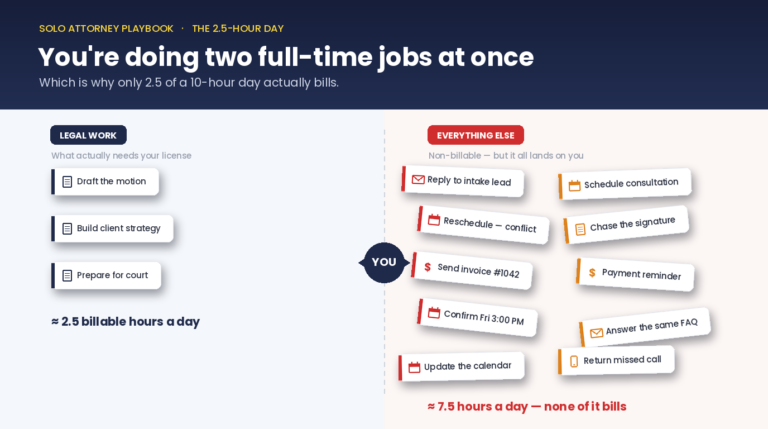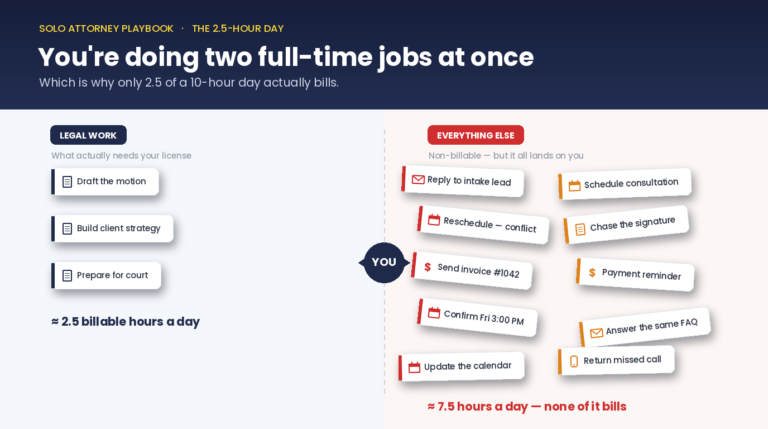
Family law has a specific rhythm. High-volume intake because emotional clients need responsive firms. Dense documentation because every case touches custody, assets, and often restraining-order history. Deadlines that don’t move because courts don’t move — a free court deadline calculator counts the days once you supply the rule. LegalContext is specifically useful in this vertical for three workflow types — intake, document drafting assistance, and dormant-client surfacing — and deliberately not useful for three others (depositions, court appearances, anything requiring licensed judgment).
Guide
LegalContext for family law attorneys.
Automate intake, follow-up, and dormant-client surfacing. Keep depositions and licensed judgment where they belong, with you.
If you practice family law, you already know three things that make the vertical hard: intake volume is unpredictable (divorce + custody inquiries spike seasonally), every new client needs a conflict check against a growing database, and follow-up sequences need to vary by matter type (divorce vs. modification vs. post-judgment).
LegalContext handles the repetitive side of those workflows. It reads from your existing case-management system (MyCase, Clio, PracticePanther, Filevine) and fires automated intake screening, follow-up emails, and a morning digest of what needs attention. Nothing replaces your judgment, but a lot of the typing disappears.
How it works
1
Map the workflow
Start with a 30-minute audit of the recurring work in your practice. Timebox each step. Identify which ones are repeatable and which need licensed judgment.
2
Pick the first build
Rank candidates by hours-back per week × compliance risk. Build the top one first. Intake automation is usually the winner.
3
Measure + iterate
Every Build gets an SOW metric. Measure weekly. Iterate based on what the numbers say, not what feels right.
What you get
📞
Intake in under 2 minutes
Web form + automated conflict check + AI-drafted intake summary in your inbox. Close-of-business becomes the worst time to miss a call, not the only time.
✉️
Follow-up sequences per matter type
Divorce, custody, modification, post-judgment, each gets its own email sequence triggered by intake answers. Stops the Monday-morning backlog.
💰
Dormant-client surfacing
Annual review reminders for estate clients who happen to have family-law matters too. The $40K you missed because you forgot to follow up.
Frequently asked
How is this different from MyCase's built-in email automation?
MyCase handles client emails triggered by milestone events (payment due, appointment reminder). LegalContext handles the operational side: intake screening, follow-up content generation, and surfacing cases you’d otherwise forget about. They work together.
Can this run the intake call itself?
No. LegalContext handles the form, the summary, and the follow-up. The call itself is yours. ABA Opinion 512 + state ethics rules draw a clear line around licensed legal advice and LegalContext stays on the right side of it.
What about confidentiality for family-law intake?
Family-law intake often includes sensitive information (abuse history, financial disclosures). LegalContext supports self-hosted deployment, all data stays on your infrastructure. No vendor access to client information.
Can I hire you to customize this for my practice?
Yes. That’s the Done-for-You Build service. We scope the build in a Deep Efficiency Assessment first, write the SOW with a measurable ROI target, and ship it inside 60 days.