Engagement-Letter & E-Sign Pipeline
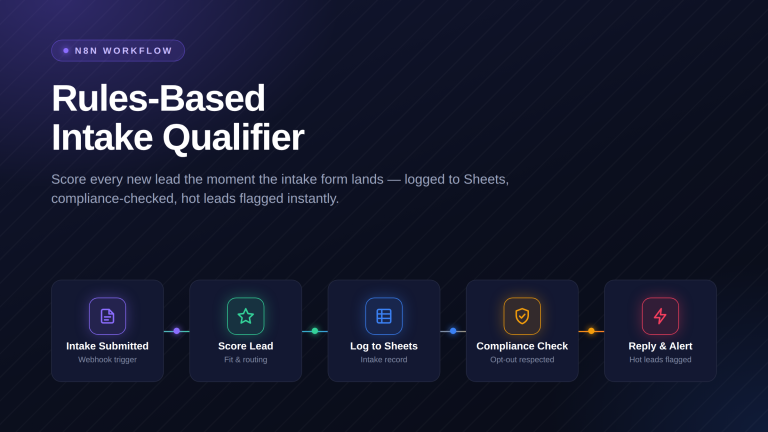
The gap between yes and a signed retainer is where clients quietly disappear. This workflow fills your own engagement letter, holds it for your approval, sends it for signature, and opens the matter once it is signed. Free n8n workflow, yours to keep.
Import it into n8n
- The button above downloads the workflow as a .json file — that is the whole download.
- In n8n, open the workflows list, choose Import from File, and select the file you just downloaded.
- Open each node flagged with a warning and connect your own credentials — none of ours are in the file.
- Run it once manually before you activate it, and check the output is what you expect.
How it works
- Receives a webhook when a lead is qualified for an engagement letter and normalizes the lead details (name, email, phone, practice area, case details, and assigned attorney).
- Searches Clio for an existing contact by email and creates a new Clio contact if no exact match is found.
- Fetches DocuSign account context, creates a draft envelope from your engagement letter template with prefilled fields, logs the engagement in Google Sheets, and emails the assigned attorney an approval link.
- Receives an attorney approval webhook, validates the approval request, looks up the matching review ID in Google Sheets, and transitions the DocuSign envelope status to “sent”.
- Updates the Google Sheets row with the send result and returns a confirmation (or error) response to the attorney’s approval request.
- Receives a DocuSign Connect webhook, ignores non-completion events, and for completed envelopes matches the envelope ID back to the Google Sheets log.
Compliance: never touches your legal work
This automation only handles operational steps — sending, routing, and moving data. It doesn’t draft, analyze, or make any legal judgment, consistent with ABA Opinion 512.
What’s inside
- The engagement pipeline workflowImport one JSON file. A qualified lead starts the chain and a signature ends it.
- Your template, filled not writtenIt populates the fields in the engagement letter you already use. It does not draft terms or choose language.
- An approval gate before it sendsThe envelope stays in draft until the assigned attorney clicks approve. Nothing reaches a client unreviewed.
- 35-minute deploy guide + LoomConnect your case management, your e-sign account, and your email. No developer needed.
✓ Works great when
- You use the same engagement letter shape every time
- You already send retainers through DocuSign
- You want a signature to open the matter for you
✗ What breaks at scale
- Different practice areas need different letters
- You want payment collected at signature
- You use a different e-sign tool
Frequently asked
What do I need to run this?
An n8n instance, Clio API access, a DocuSign account with a template, a Google Sheets connection, and an email account. About thirty-five minutes.
Does it write my engagement terms?
No. It fills fields in the template you supply. Names, dates, matter details, fee figures you already set. The terms are yours and it never touches the language.
Can it send without me seeing it?
No. The envelope is created as a draft and stays there until the assigned attorney clicks approve. That gate is not optional.
What happens after the client signs?
It creates the matter in Clio, links the signed client, updates the log, and emails your staff. The signature is the trigger, so nobody has to watch an inbox.
Can I use a different e-sign tool?
Not in the free version, which is built on DocuSign. Another provider is a Done-for-You Build, $5,000 to $15,000.
Want the version built for your firm?
Done-for-You Build.
The free workflow runs one letter from approval to signed matter. When practice areas need different templates, payment has to clear at signature, and your e-sign tool is something else, that is a Done-for-You Build. We wire it into your stack and hand it back tested.
What you get
- A different engagement letter per practice area
- Payment collected at the point of signature
- Your own e-sign tool wired in
- Reminders on envelopes that sit unsigned