Immigration Filing Drafter for Law Firms
Immigration attorneys juggle 50 to 200 pending cases with clients checking status weekly, and the sanctions risk for AI errors is elevated. Give this skill your case facts and your own filing templates, and it drafts narrative sections and status-update emails strictly from what you supply. It never looks up USCIS or submits anything. You review and file. Free, yours to keep.
Install the plugin
- Copy the marketplace link above.
- In Claude, add it as a plugin marketplace.
- Install the plugin from that marketplace.
- Start a new conversation so the plugin loads, then try it on a real example before you rely on it.
How it works
- Download and install the plugin — Download the plugin and add it to Claude Desktop’s Extensions panel to install it.
- Add your case information — Attach your case folder and firm filing template, or provide the case facts directly in the chat.
- Start the skill — Open a new Claude Desktop chat, type /skills to confirm the plugin is installed, then run /immigration-filing to begin.
Compliance: assisted draft, always reviewed
This drafts from the input you supply. It never sends or files anything, never invents facts you didn’t provide, and carries a hard-coded “Not legal advice — review before use” disclaimer on every output.
What’s inside
- Immigration drafting skillAttach case facts and your firm's filing templates, and it drafts the narrative sections.
- Support and cover lettersDraft support letters, cover letters, and RFE-response outlines from your supplied facts.
- Client status-update emailsIt drafts a plain-English status-update email when a case status changes.
- Facts-only draftingIt drafts strictly from what you provide. It never invents facts or looks up USCIS.
✓ Works great when
- You draft the same filing narratives across many cases
- You want drafts from your own templates and case facts
- You want to keep every filing under attorney review
✗ What breaks at scale
- You want automated USCIS status tracking, not just drafting
- You need RFE deadline management across your caseload
- You want multi-form filing sequences tied to case management
Frequently asked
What do I need to run this?
Claude with Cowork. Install the skill, attach a folder with the case facts and your filing templates, and run it.
Does it look up or submit to USCIS?
No. It drafts filing content and status emails from the facts you supply. It never touches USCIS lookups or web submission. You review and file everything yourself.
Given the sanctions risk, is this safe for immigration work?
It is built for it. It drafts strictly from your supplied facts, never invents anything, and every filing is attorney-reviewed and finalized. It carries a visible review-before-use note. It is assisted drafting, always reviewed.
Can you automate status tracking too?
Yes. The free skill drafts. Automated USCIS tracking and RFE deadline management is a Quick-Win Build, from $1,500, typically live within a week.
Want the version built for your firm?
Done-for-You Build.
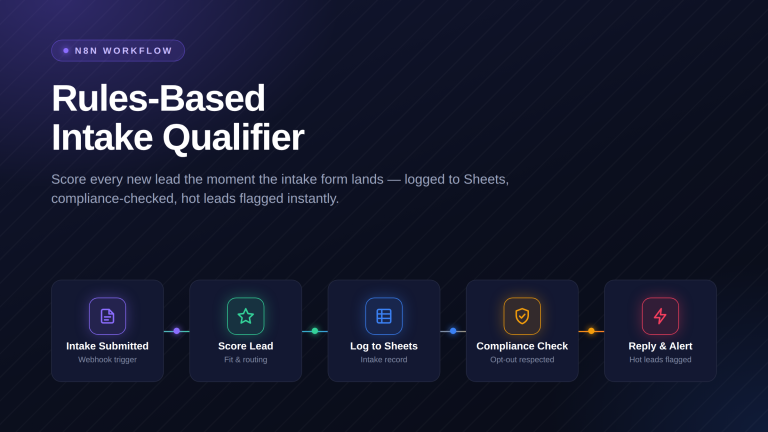
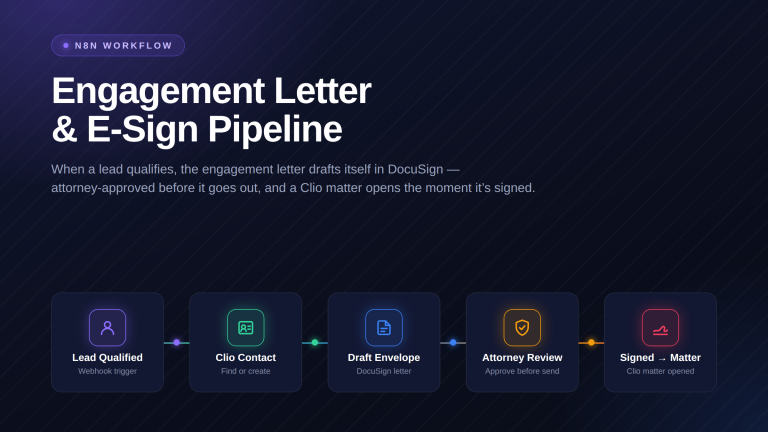
The free skill drafts filings from your facts. When you want automated USCIS status tracking, RFE deadline management, and multi-form sequences tied to case management, that is a Quick-Win Build. We build it around your caseload and hand it back tested.
What you get
- Automated USCIS status tracking across your caseload
- RFE deadline management and reminders
- Multi-form filing sequences tied to case management
- Every filing attorney-reviewed and finalized